Reward Behaviors
Reward Behavior Patterns
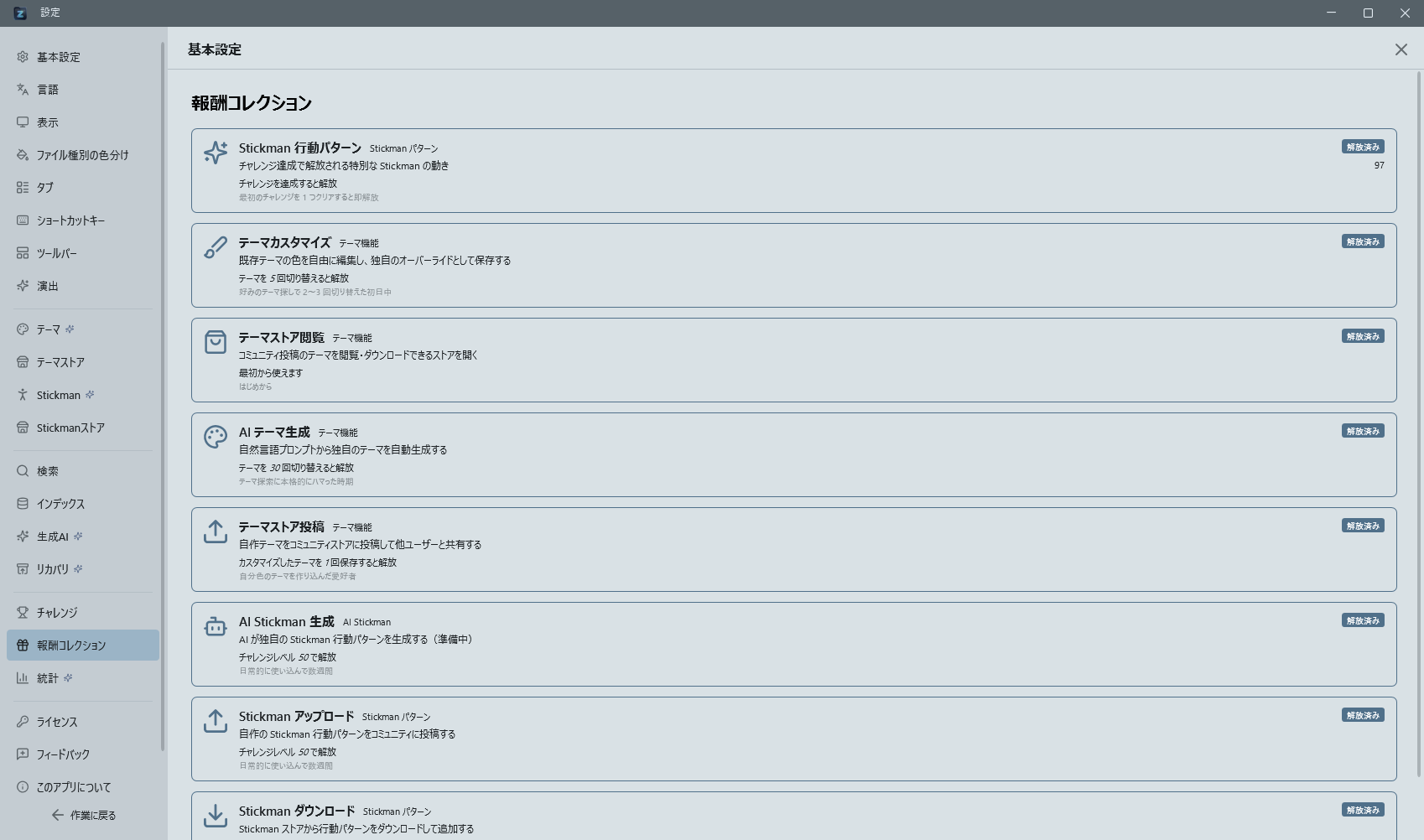
When you reach each Tier of the Navigation achievement (based on folder navigation count), a dedicated Stickman behavior pattern is unlocked as a reward. Reward behaviors are stored in the stickman/rewards/ folder, with 10 tiers comprising 150 behavior patterns in total. Each pattern features unique choreography using 67 poses, combined with height effects (yOffset), aura (aura), and followers (followers).
Effects by Tier
- Tier 1-3: Simple behaviors combining basic poses and walking
- Tier 4-7: Multi-phase combinations with dynamic height effects (floating, ascending, descending)
- Tier 8: 2 followers appear, randomly positioned around the leader
- Tier 9: Followers increase to 4. An aura (halo) appears as rotating, pulsating rays around the head
- Tier 10: Followers increase to 7, forming a natural group. Top-tier visual effects including aura and enlarged scale
Followers normally mirror the leader's movements, but during special actions (bowing, saluting, etc.) they kneel in place.
Archived Patterns
Pre-redesign reward patterns are preserved in the stickman/archive/ folder.
Achievement Unlock Mechanism
- Reward behavior JSON files have an
unlockfield (e.g.,"unlock": "nv_100") - If the corresponding navigation challenge has not been completed, the behavior is not registered with the engine and will not be selected
- Once the challenge is completed, the behavior is automatically unlocked and becomes eligible for random selection alongside regular behaviors
Reward Tile Hover Preview
Hovering the mouse cursor over a reward tile in the settings page (Control Deck -> Stickman) displays an animated preview popup of that behavior pattern. This works for both locked and unlocked rewards, so you can see what the behavior looks like before unlocking it.
Reward Behavior ON/OFF Toggle
A checkbox appears in the upper-right corner of each completed reward tile. Use it to individually enable or disable reward behaviors. Disabled reward behaviors are excluded from the engine's selection pool.
Rare Event "Bear Sighting"
A special event that triggers with 1% probability per behavior selection. Unlock-free and enabled from the start — every user can encounter it by chance.
- Trigger:
Random.NextDouble() < 0.01at the internal behavior selection timing. - Sequence:
- The dog transforms into a bear (0.6s,
dogBehavior: "transform_bear"). The color is dynamically derived from the currentAccentBrushdarkened in HSV; body scale is 1.5×. - The stickman runs away (4–6s,
pose: "run",speed: 120–160 px/s). The bear chases within 20 px of the stickman's rear at 150 px/s (faster than normal follow). - A yellow "⚠ Bear sighting warning" sign (black-bordered toast) fades in 40 px ahead of the stickman over 0.3s.
- Reverts to the dog (0.8s,
dogBehavior: "revert_to_dog"). The sign fades out.
- The dog transforms into a bear (0.6s,
- Implementation:
- Behavior definition:
stickman/rare_bear_chase.json("rare": true, "weight": 0) - Selection:
MascotBehaviorEngine.PickNext()branches with 1% probability before the normal pool pick - Rendering: dog parts receive a bear brush and a 1.5× scale;
bearSignBorderis placed onouterCanvas - New
dogBehaviorcommands:transform_bear/chase_stickman/revert_to_dog - New phase field:
prop(MascotPhaseDto) specifies the prop key
- Behavior definition:
Companion Forms (theme-linked and the dumbo octopus)
The companion that follows the stickman changes its shape and movement according to the category of the active theme. Turning off "Show dog companion" in settings hides every form.
| Theme category | Form | Characteristics |
|---|---|---|
| Standard | Dog | Default; follows faithfully |
| Lifestyle (WarmCozy) | Cat | Follows lazily, wanders off on a whim, sleeps often |
| Professional | Small robot | Constant speed with no acceleration; idles with a slight bob |
| Premium | Big dog | 1.3× size, moves unhurriedly |
| RetroTech | Pixel robot | Position quantised to a 2 px grid for stepped movement |
Dumbo octopus while a terminal is visible
While a terminal is on screen, a dumbo octopus (Claude Code's mascot) appears in place of the form above.
- Detection: covers both terminal tabs in panes A/B and terminals embedded in the nav pane. One visible terminal is enough to make it a dumbo octopus; close them all (or switch to another tab) and the theme-linked form returns
- Colour: does not follow the theme palette — always drawn in Claude's salmon colour (other forms follow
StickmanBrush) - Movement: floats instead of walking, moving its five tentacles and ear fins slowly. Running poses become a drift, and
sleepmakes it sink and close its eyes - Setting: Control Deck → Stickman → "Dumbo octopus in terminal" (on by default). Turn it off to keep the theme-linked form even while a terminal is visible
- During the rare "Bear Sighting" event the bear takes precedence and no replacement occurs