Theme Store
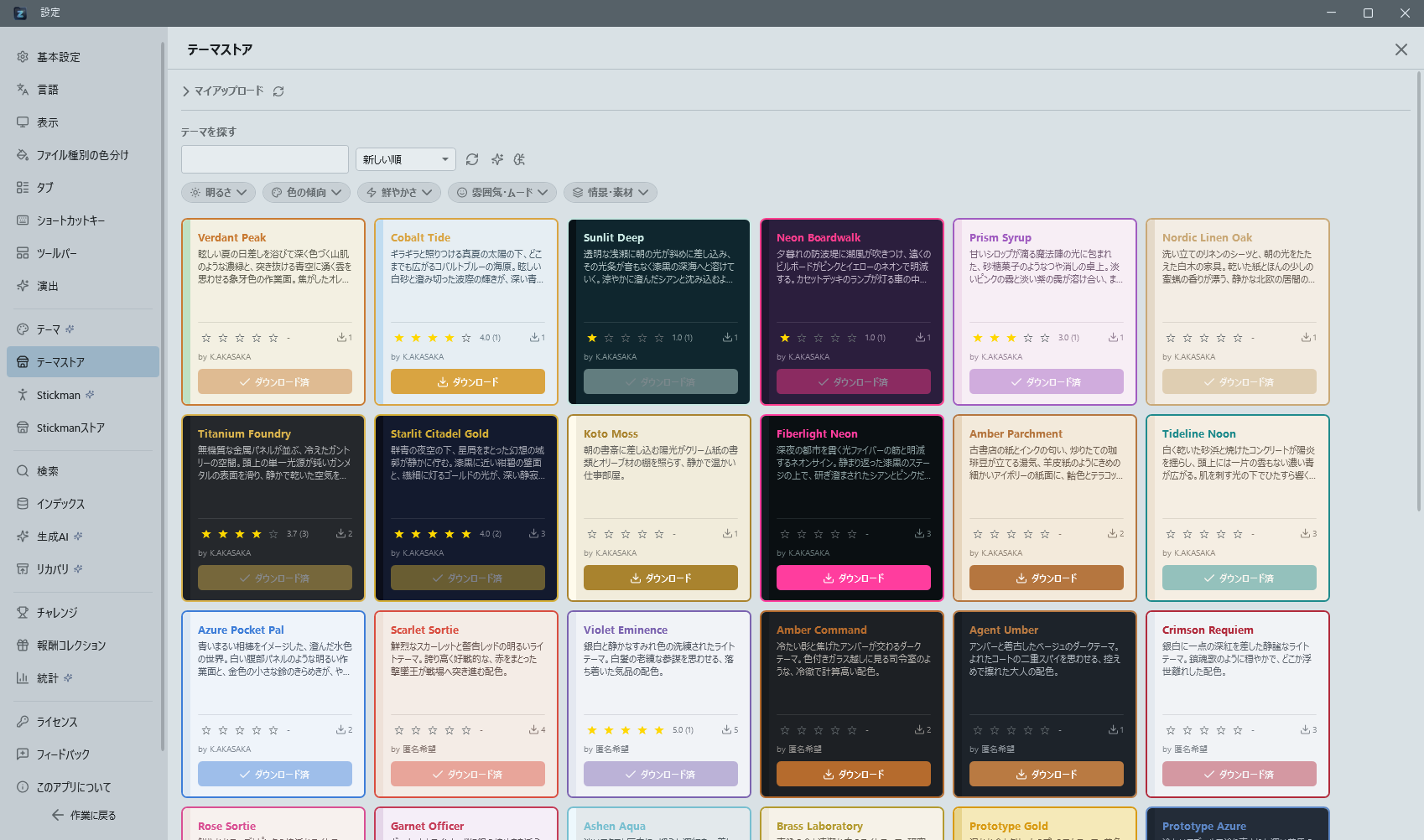
An online store where you can browse, download, and rate community-created themes. Access it from the "Theme Store" tab in theme settings.
- You are asked whether to switch right after downloading: once a download finishes, the app asks "Switch to it now?". Answering yes applies the theme on the spot, so you do not have to find it again in the list. The question is skipped when the theme is already in use.
- Publishing asks for confirmation first: uploading makes a theme available for anyone to download and cannot be undone, so you are asked once before it goes out. The question is skipped when it follows on from the "publish to the store?" prompt shown right after saving a theme. A thank-you message is shown once the theme is published.
- How to rate: Clicking a star on a card selects that score and a "Submit rating" button appears beneath it. Clicking alone does not send anything — the rating is only submitted when you press "Submit rating". Clicking the same star again clears the selection. The stars show your own score, and the community average is shown next to them as a number (average and count). You can pick a different star and submit again at any time to change your rating.
You can also upload and share your own custom themes (Pro feature). Sort by download count, rating, or newest first, and preview themes before applying them.
- Theme author display: Theme cards show the author name (Design by XX).
- Store theme comparison: Check differences between installed themes and their store versions.
- Filter by tags: Five always-visible group buttons (Brightness / Color tendency / Vividness / Mood / Scene) expand into a keyword row when tapped. Only tags that actually exist in the store are shown, each with its result count; selection is single-select, and tapping a selected keyword again clears it. Tags are set when a theme is generated with AI.